Your profile
Your profile helps people recognize you in Loomio. Add a photo, introduction and other details you want to share.
Edit profile
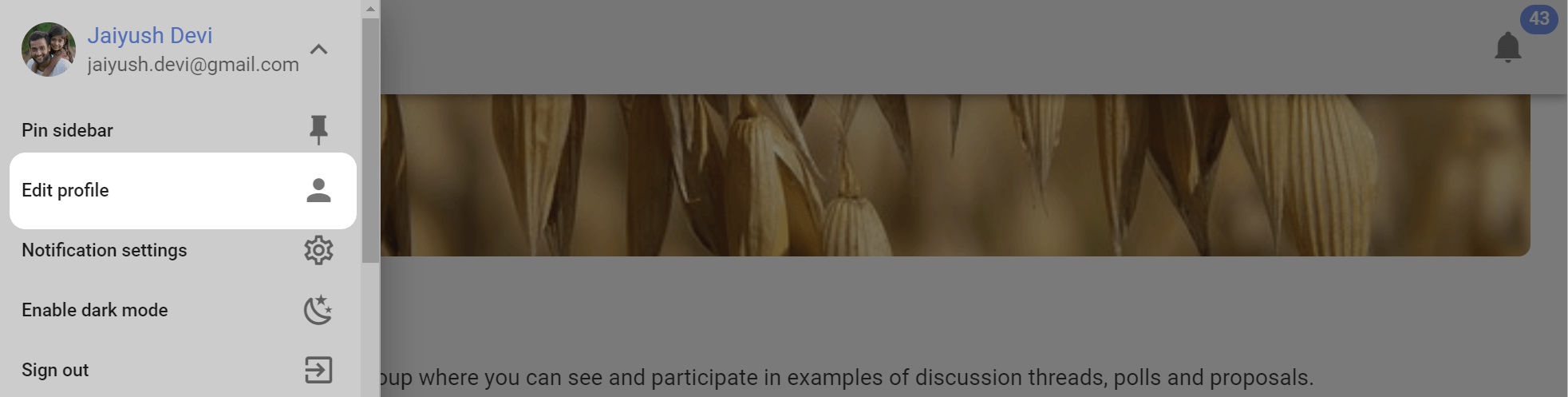
Open your user menu by selecting your name in the sidebar, then select Edit profile. If the sidebar is closed, open it with the menu button (☰).
Update your personal info
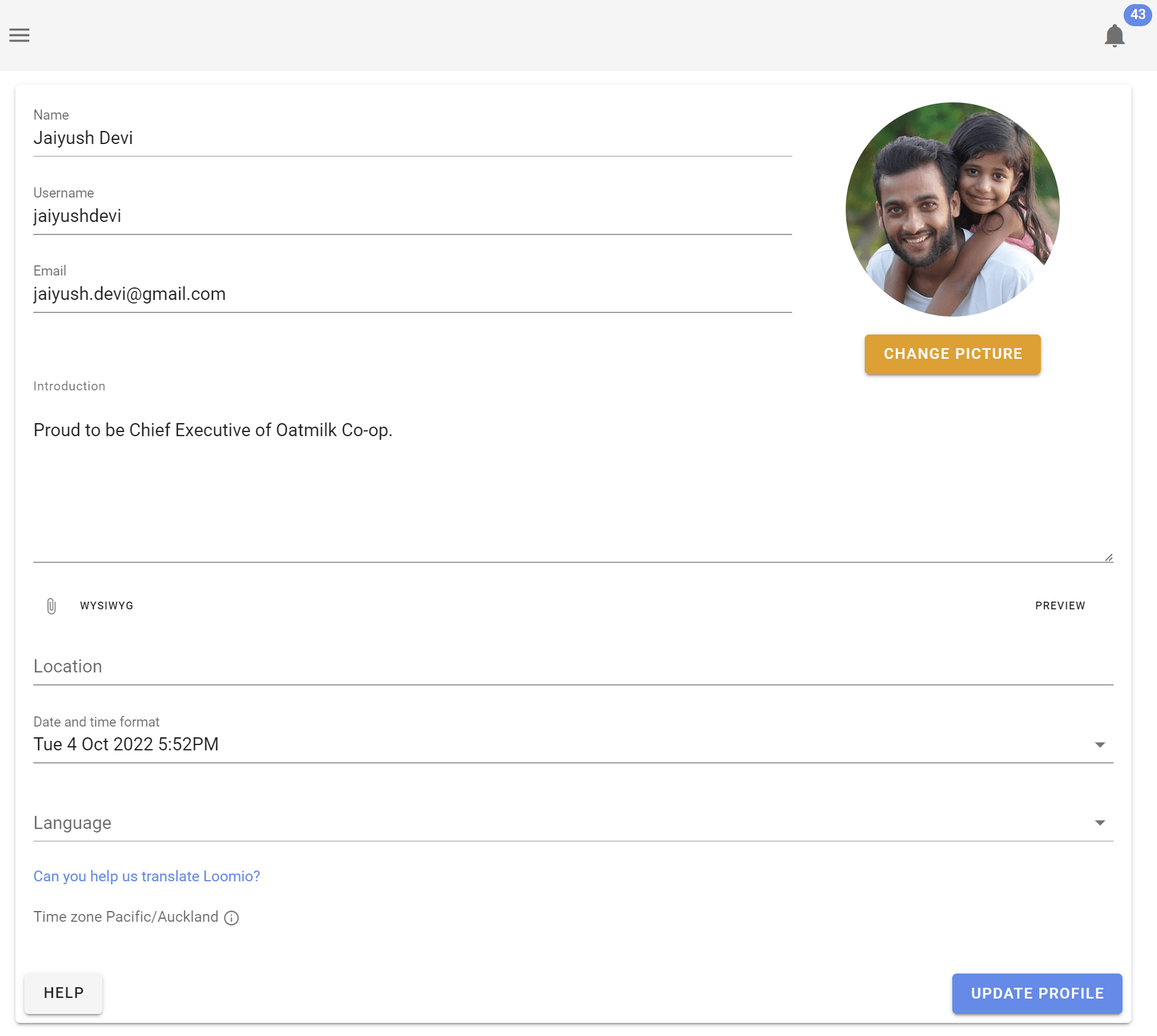
You can update your personal info by changing any of the following fields:
- Name
- Email address - this is the email address associated with your Loomio account, and where you will receive notifications from Loomio.
- Username - your username is a name people can recognize and alert you using @mention. It can contain lower case letters, numbers, underscores, and internal hyphens.
- Introduction - a few lines to tell others in your group something about you.
- Location - useful for distributed or remote groups so people can get an idea of where you are located.
Uploading a profile photo
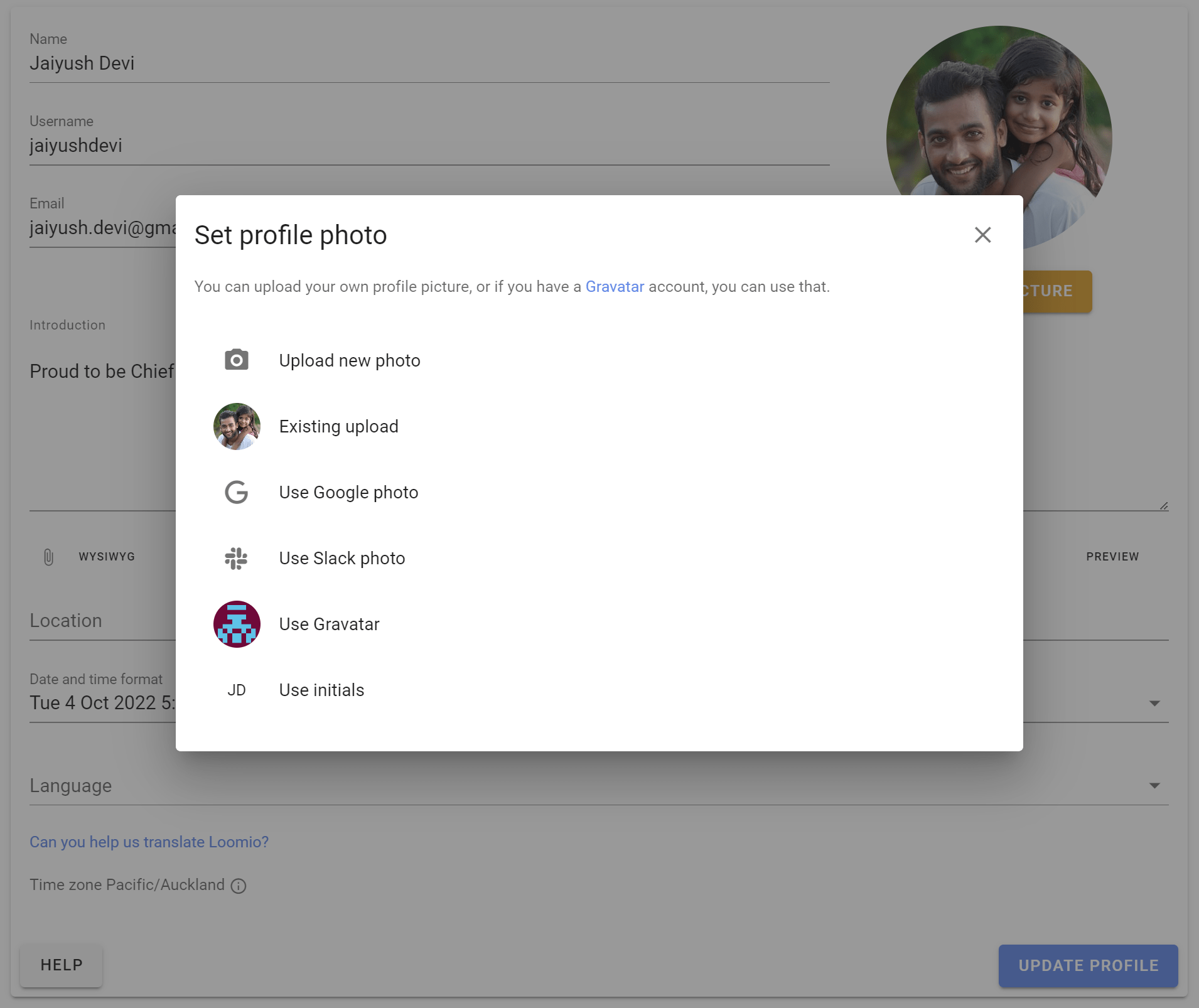
When you first create a Loomio account, your initials will be the default image associated with your profile. You can upload a profile photo by clicking on your picture on the profile page.
Language
Loomio will detect your browser’s language settings, but you can manually set your preferred language from the available options on the profile page.
Time zone
Time poll options use the time zone saved in your profile. Enable Autodetect time zone to use the zone reported by your browser, or disable it and select your region under Time zone, then select Update profile.
Resetting your password
You can change your password by visiting your profile page and clicking Reset Password.

Merge accounts
If you have two Loomio user accounts, you can merge them into a single account.
See Merge Accounts.
Deleting your account
If you wish to delete your Loomio user account and leave any Loomio groups you are a member of, see Deleting Your Loomio Account.