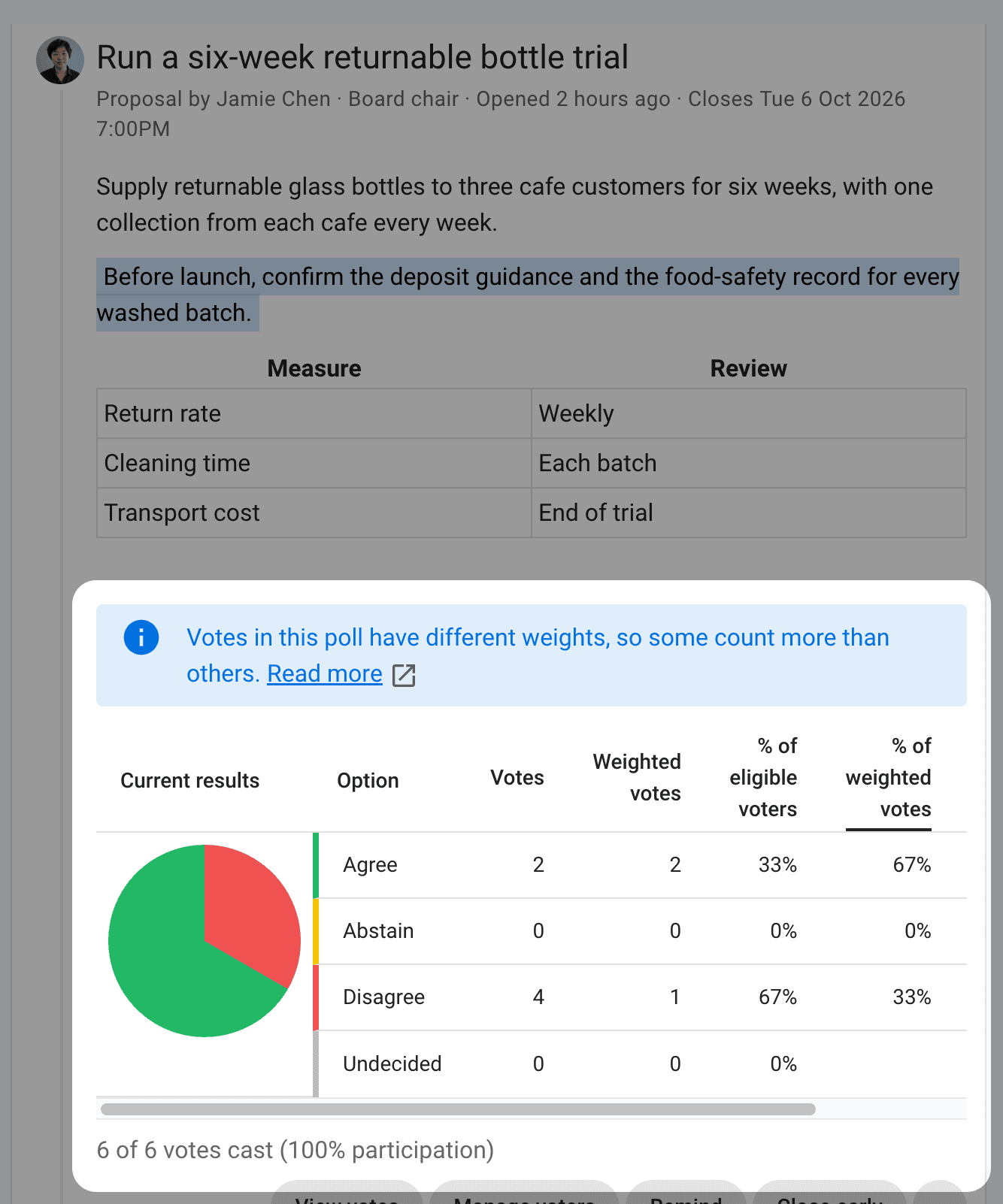
Weighted voting
Weighted voting lets some votes count more than others. Each voter has a vote weight. For example:
- A housing community gives each property one vote. A member who represents three properties has a vote weight of
3. - A worker cooperative grants voting rights after a set period of membership. Newer members receive a vote weight of
0, so they can contribute to the discussion and experience the voting process without their votes affecting the result. - A company gives shareholders votes according to their ownership stake. Someone who owns 12.5% of the shares has a vote weight of
12.5.
Set members' vote weights
A group admin can open the group's Members page and select Edit vote weights. Enter vote weights and select Save vote weights. Vote weights can be 0 or more, with up to three decimal places. Search by name or email to find someone. To give every member the same vote weight, select Set all vote weights.
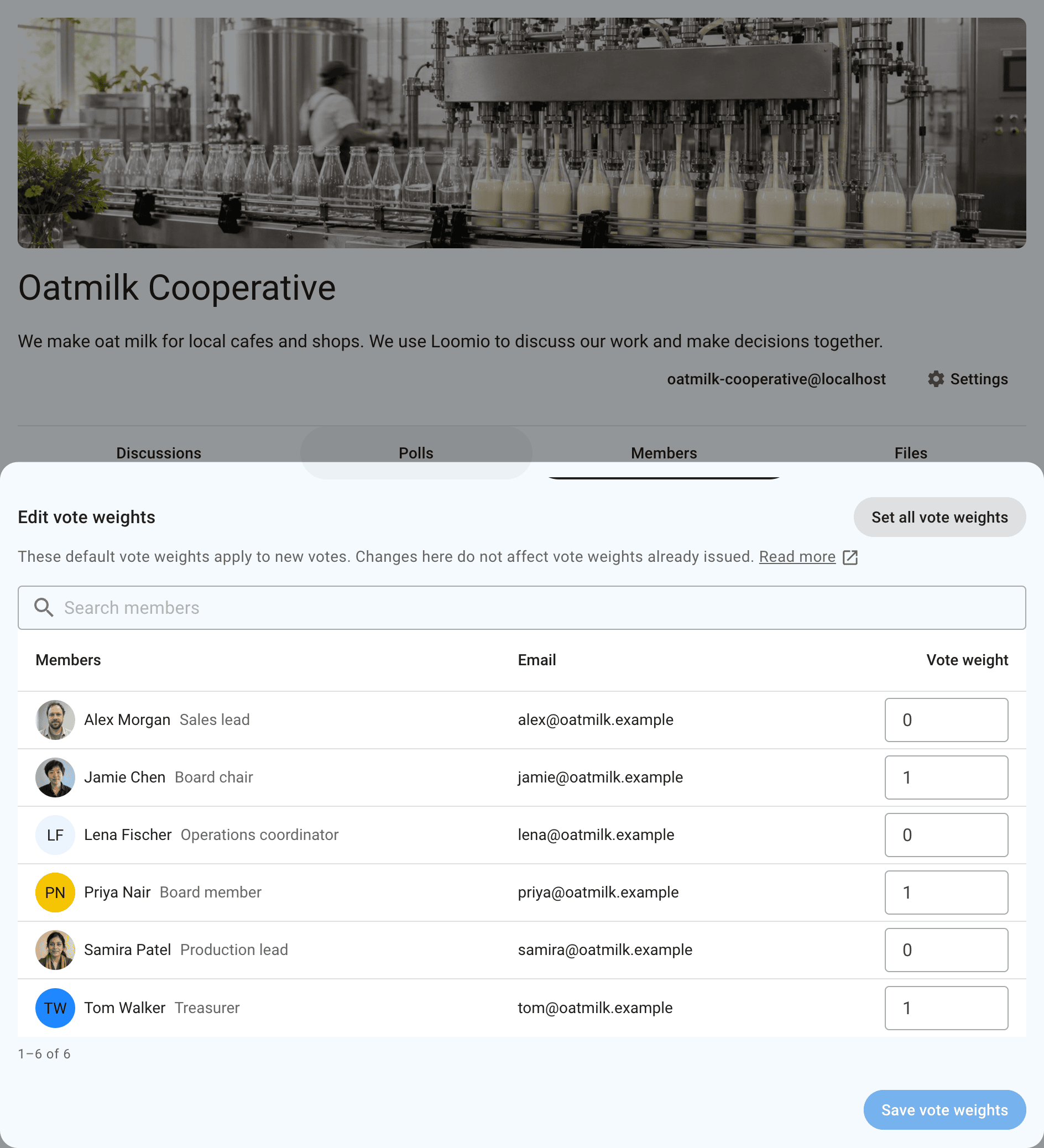
A member's vote weight is copied into each poll they are added to. Changing it later does not change polls that already have it.
Use weighted voting in a poll
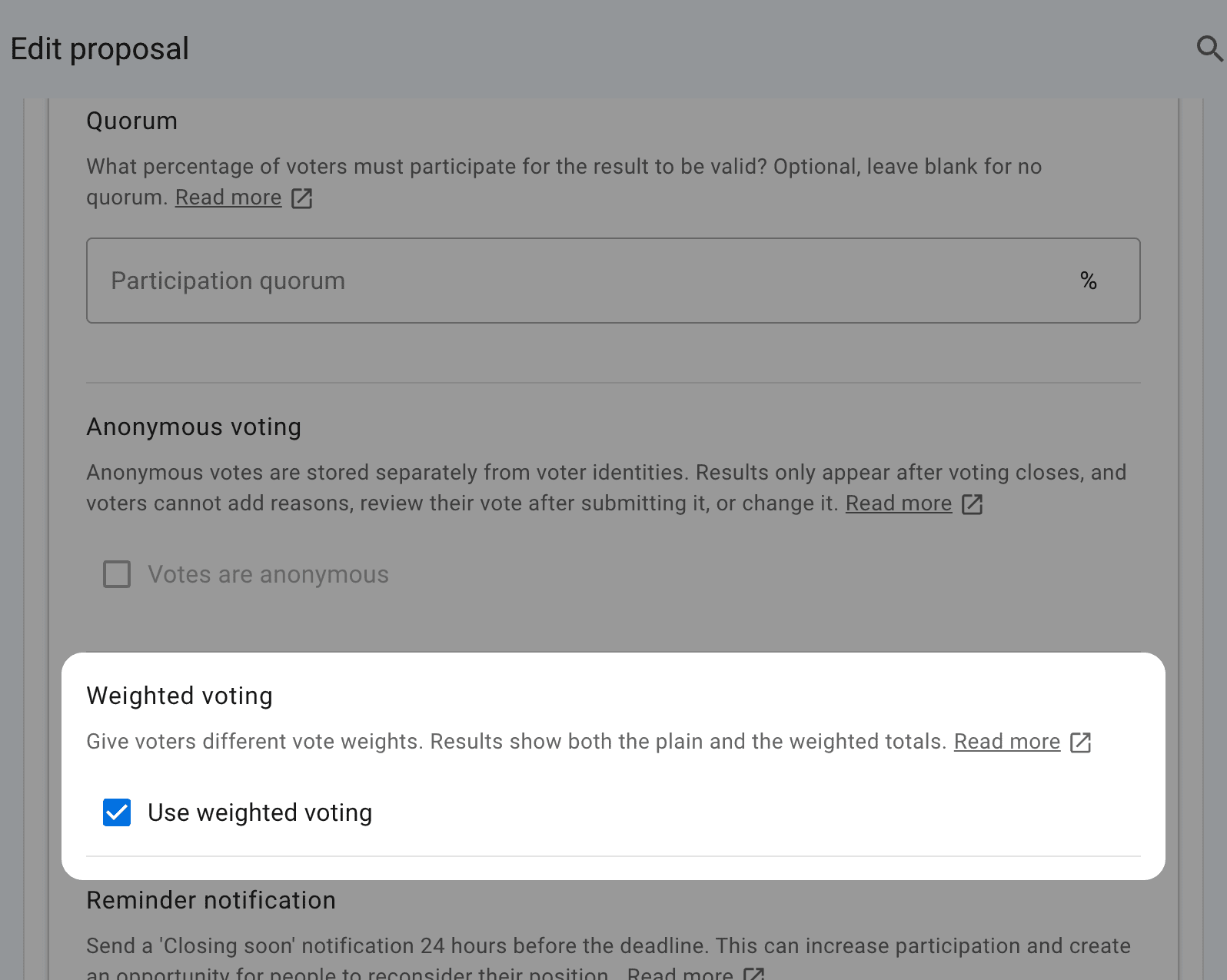
Open More settings in the poll form and select Use weighted voting. You can turn weighted voting on or off after voting opens. Turning it off sets every vote weight in the poll to 1, and any vote weights you changed for that poll are lost.
If your group uses weighted voting for an established process, select Use weighted voting in a poll template. Polls started from that template use weighted voting.
Weighted voting works with these poll types: Proposal, Choose, Score, Allocate, and Rank.
You cannot use weighted voting and anonymous voting in the same poll.
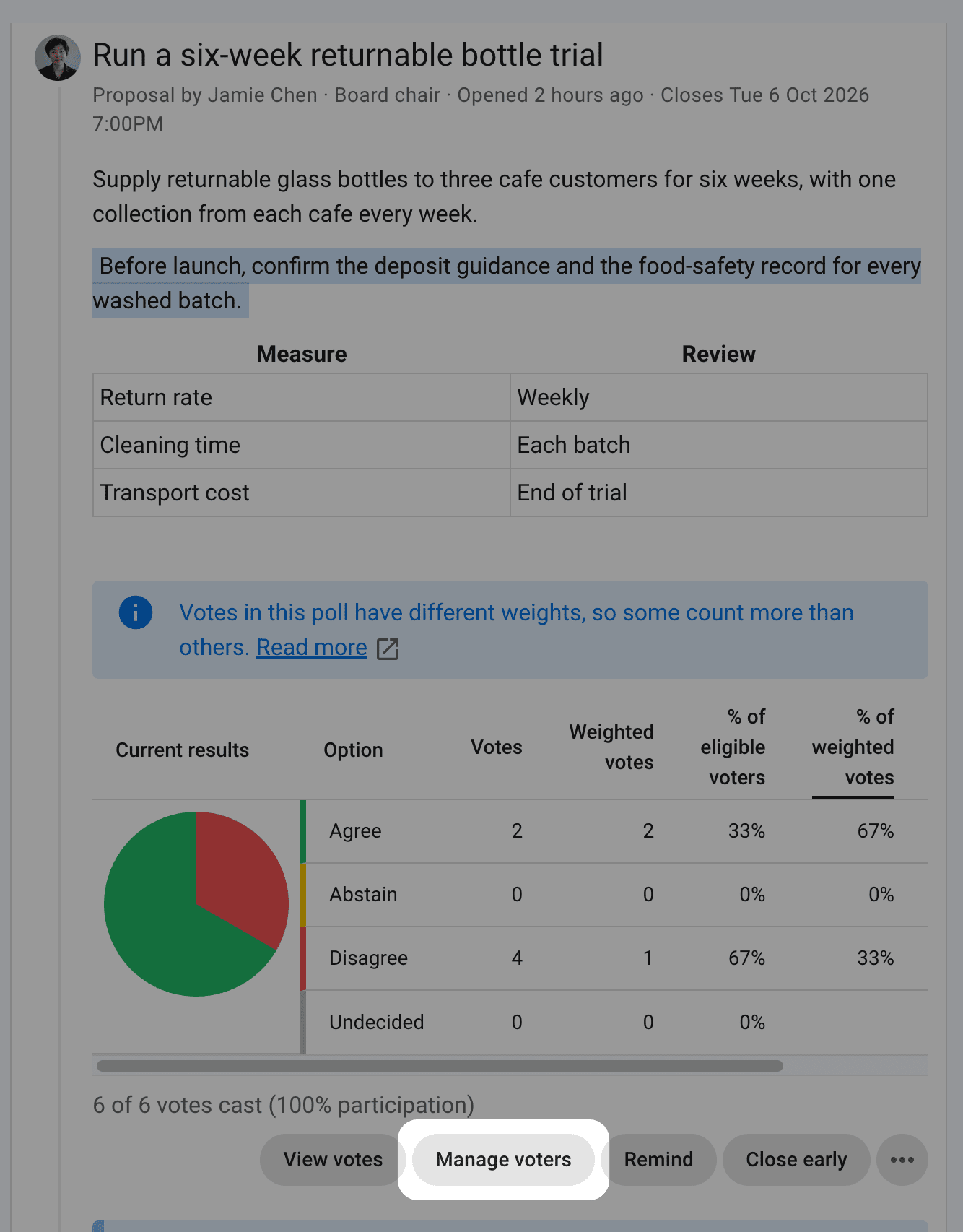
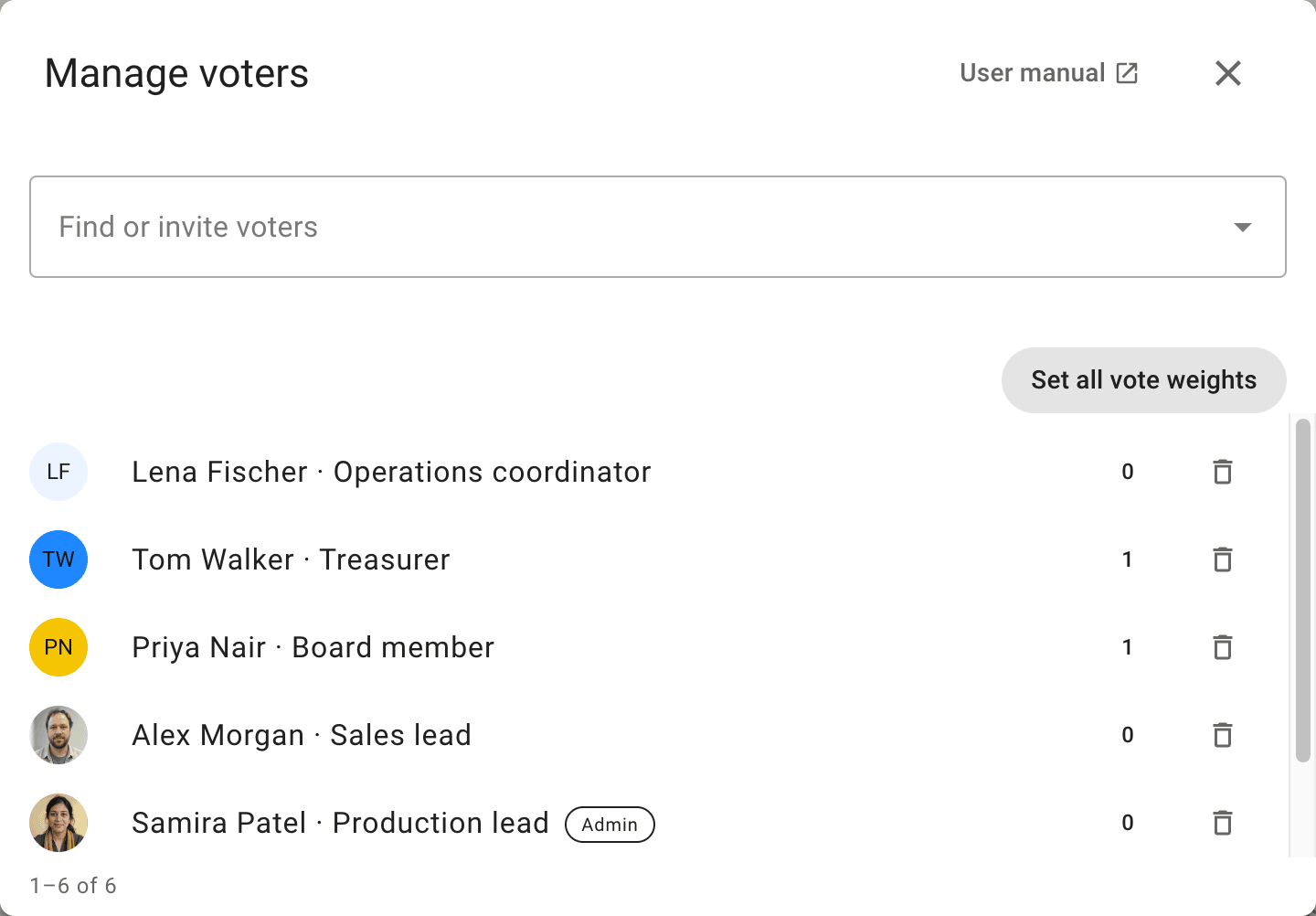
To change one voter's vote weight, select Manage voters, then select the vote weight beside their name. To change everyone's, select Set all vote weights. You can copy each member's vote weight from the group, or give everyone the same value. Voters who are not group members get a vote weight of 1.
Results
Results show the plain totals and the weighted totals side by side:
- Proposal and Choose polls show Votes and Weighted votes.
- Score, Allocate, and Rank polls show Points and Weighted points.
The chart shows the weighted result. Select a column heading to chart that column instead. Anyone who can see the votes can see each voter's vote weight.
For Proposal and Choose polls, Not voted shows the remaining voter count under Votes and the remaining vote weight under Weighted votes. These columns and % of eligible vote weight include those who have not voted in the chart. % of vote weight cast leaves Not voted blank and excludes it from the chart.
Vote weights also apply to quorum and vote share requirements.
In the example below, Jamie votes Agree with weight 2. Three people vote Disagree, with weights 1, 0, and 0. Two people, with weights 2 and 1, have not voted.
Agree has one of the four votes cast, but two-thirds of the vote weight cast. Half the eligible vote weight has participated, so the 60 percent quorum has not been reached.