Group profile
The profile tab controls how your group is identified and introduced. Open Edit group settings from the group page, then select Profile.
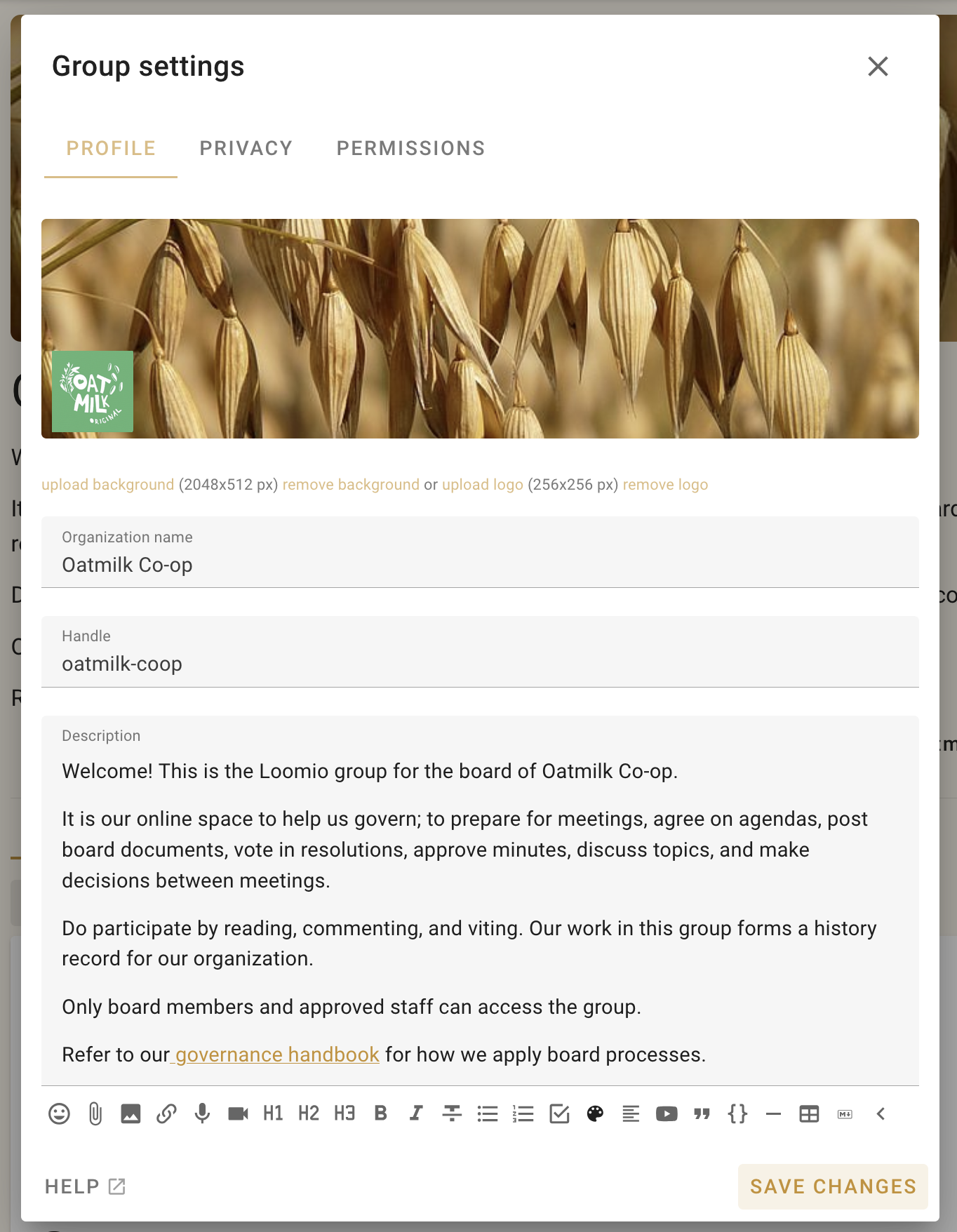
Name and handle
Choose a concise group name, particularly if the group will contain subgroups. Loomio uses the handle in the group's web address and group email address, such as loomio.com/your-group-handle and your-group-handle@loomio.com.
When you change the handle, links using the previous handle redirect to the new address, and email sent to the previous group address continues to reach the group. Loomio retains up to three previous handles; changing the handle again after that causes the oldest one to expire.
Description
Use the description to explain what the group is for, who participates, and how people are expected to use it. You can format the description and include links, documents, and videos.
The name and description may be visible to non-members depending on the group's privacy settings.
Cover image and logo
The cover image appears across the top of the group page. A wide image works best; the recommended size is 2048 × 512 pixels.
The group logo identifies the group in navigation and other compact contexts. Upload the cover image and logo separately so each can be cropped for its intended shape.