Bookmarks
Bookmarks are a personal list of Loomio items you want to return to. Your bookmarks are visible only to you and saving an item does not notify anyone else.
You can bookmark:
- discussions
- comments
- proposals and polls
- votes
- outcomes
Save a bookmark
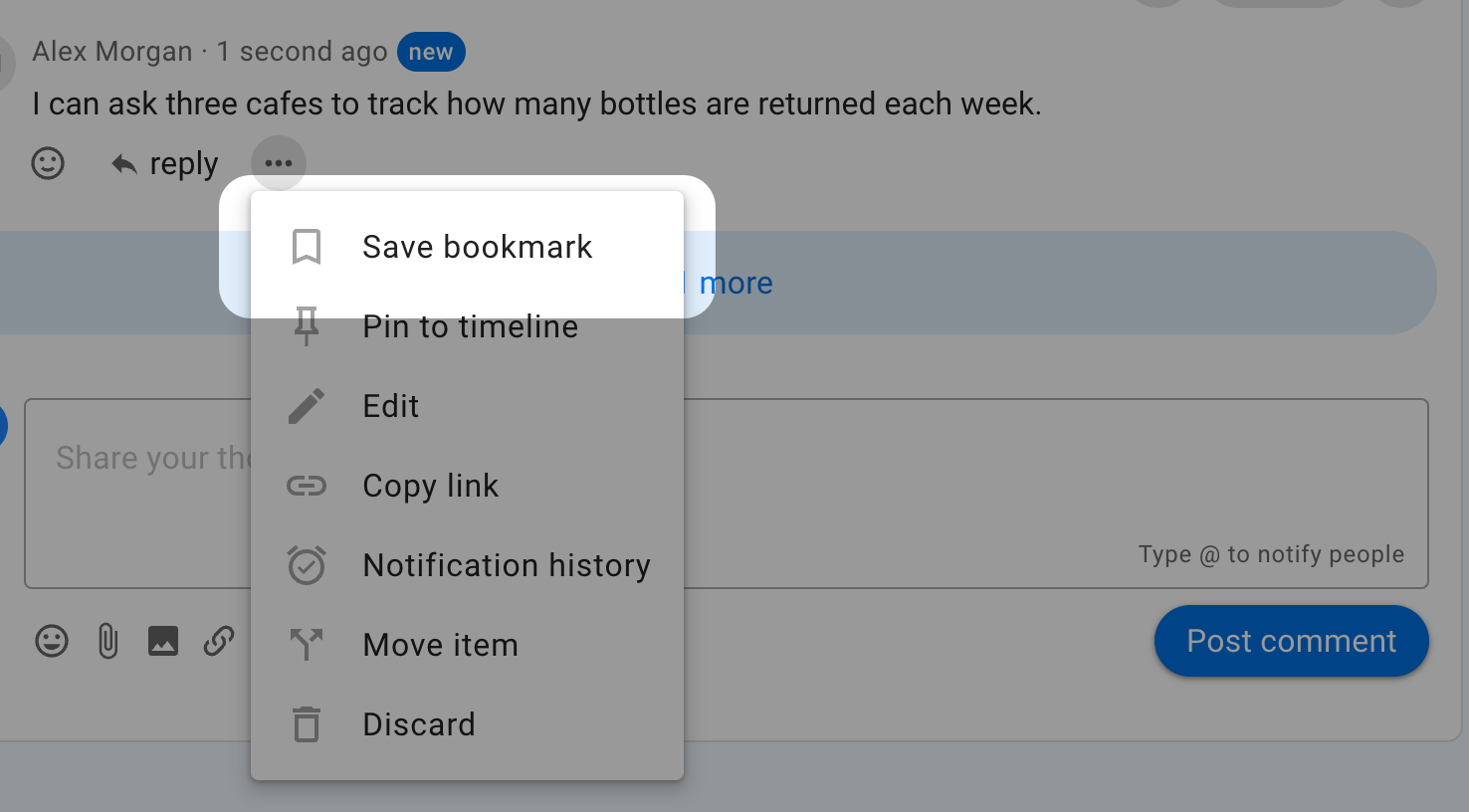
Open the action menu for the item and select Save bookmark. The action menu is usually shown as three dots. For a discussion, use the action menu near the discussion title; for a comment, vote, proposal, poll, or outcome, use the menu on that item.
View your bookmarks
Open the sidebar and select Bookmarks. The number beside the link shows how many bookmarks you have saved.
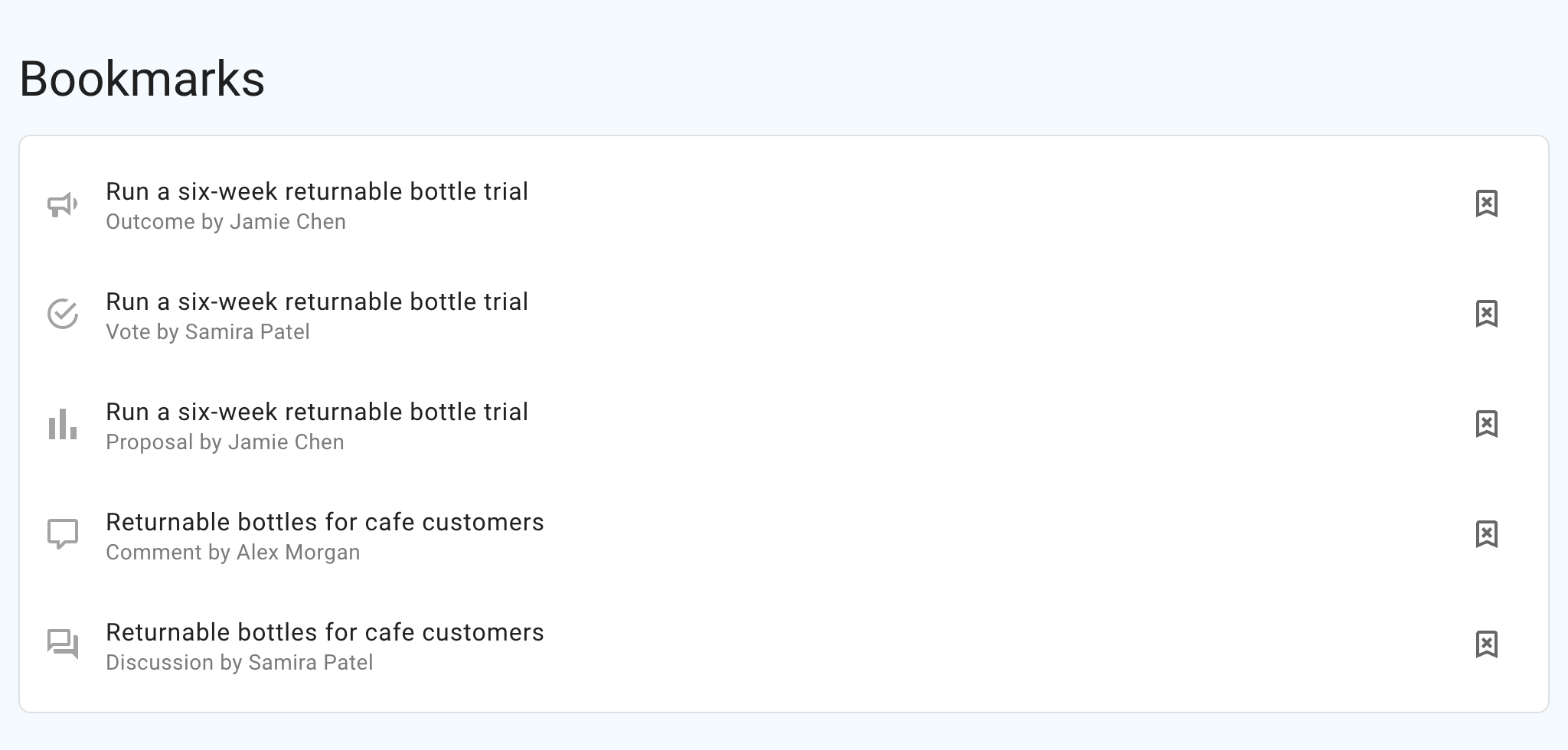
The Bookmarks page lists your most recently saved items first. Each row shows the kind of item and its author. Select a row to return to the bookmarked item.
Remove a bookmark
On the Bookmarks page, select the remove-bookmark button at the end of a row. You can also open the bookmarked item's action menu and select Remove bookmark.
Removing a bookmark affects only your personal list. You can save the item again later.