Group permissions
The permissions tab controls which group operations are available to ordinary members and, for non-secret groups, to non-members. Open Edit group settings from the group page, then select Permissions.
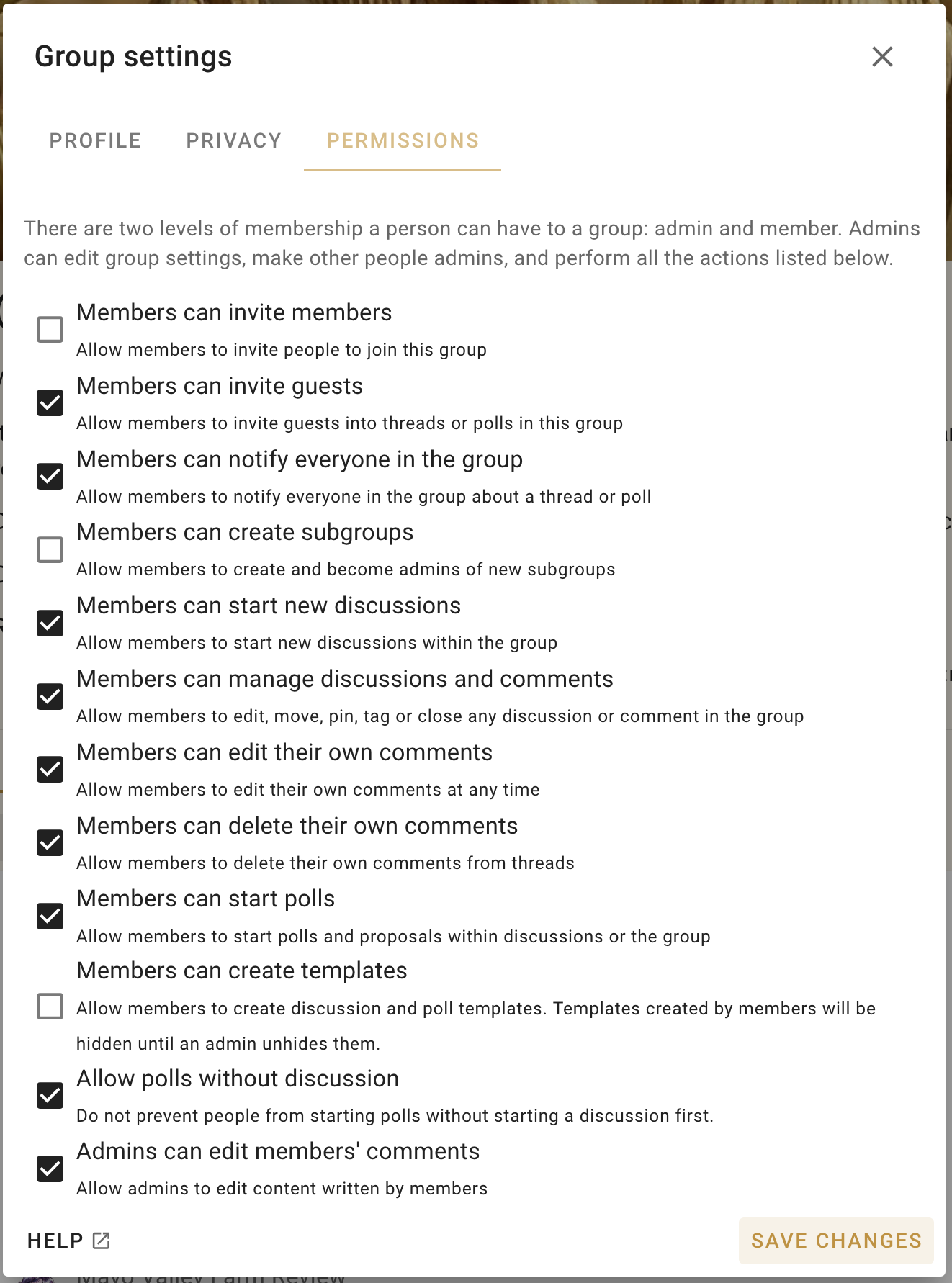
Administrators retain the ability to manage the group. Enabling a member permission extends that particular action to ordinary members; it does not make them administrators.
Permissions include whether members can:
- add members or invite guests;
- send announcements;
- create subgroups;
- start and manage discussions;
- create and manage tags;
- edit or delete comments where the setting permits;
- start proposals and polls; and
- create discussion and poll templates.
For groups that are not secret, administrators can separately allow non-members to start discussions. A non-member who starts a discussion becomes a guest of that discussion but does not gain access to other private discussions or become a group member.
The Admins can edit members' comments setting gives administrators an exceptional moderation capability. Enable it only when the group has agreed that administrators should be able to alter member-authored content.
Review permissions when the group's purpose, membership, or moderation responsibilities change. Give each role only the capabilities it needs.