Time poll
Use a Time poll to find a time for a meeting or event. It serves the same purpose as scheduling tools such as Doodle, while keeping the scheduling process with the group's other Loomio work. Participants see the options in their own time zone.

Time poll
Find when people are available to meet
Save time arranging a date for your meeting or event.

Time poll makes it easy to see everyone's availability and find the best time.
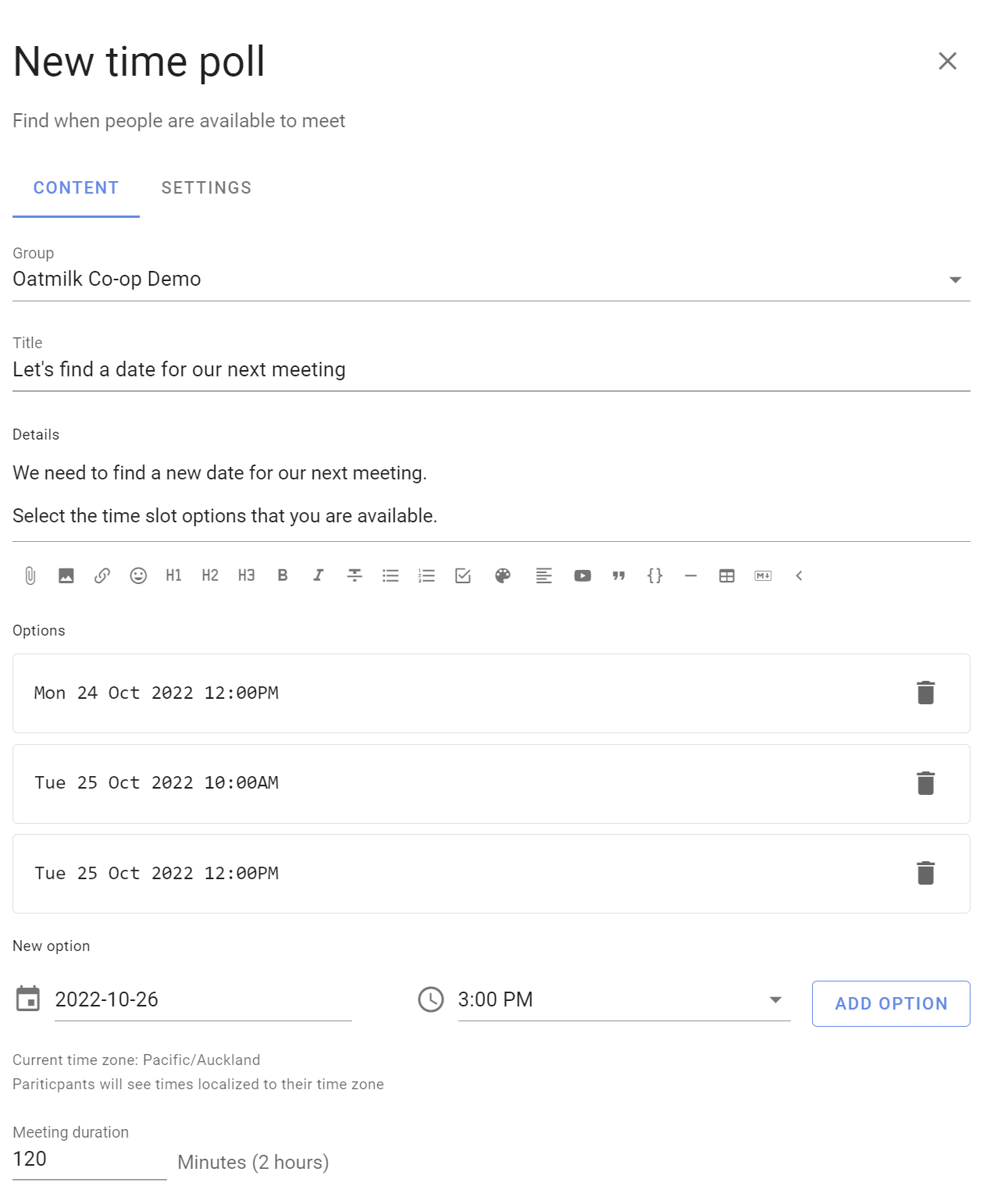
Give your Time poll a title and details. Enter a list of date and time options in your time zone.
When setting timeslots, consider people in different time zones. Participants will see times localized in their time zone.
Set a meeting duration.
Voting
People mark each time with the green thumbs-up icon when they are available, the yellow sideways thumb when they can attend if needed, or the red thumbs-down icon when they are unavailable.
Participants can leave a reason comment to help the organizer find a suitable time.
If the times don't work, participants can suggest alternatives using the message field. You can then update the poll with new times.
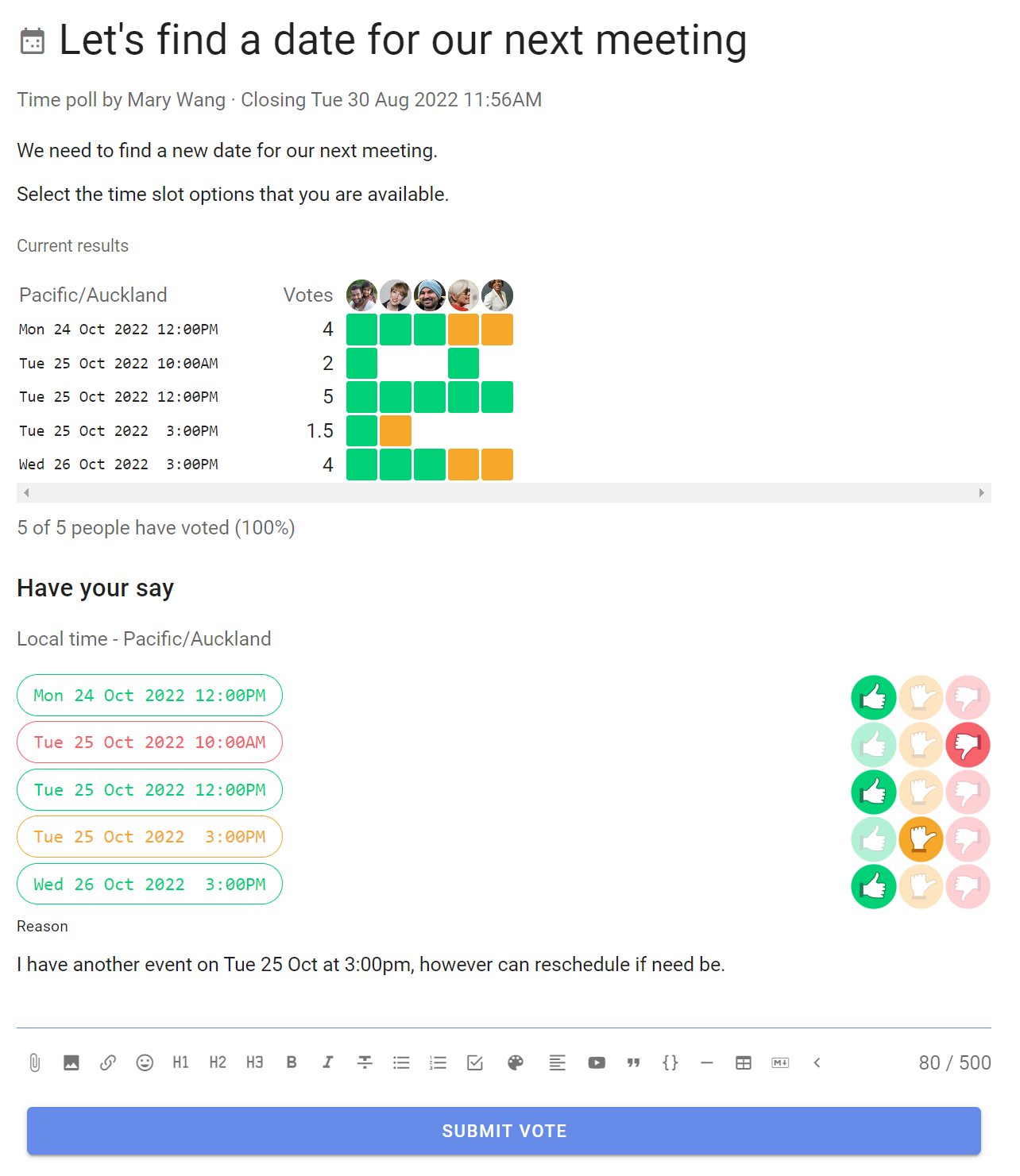
The results update as voting proceeds in a table showing who is available when, so everyone can see which timeslots are popular.
Outcome
When the Time poll closes, pick the best time and post an outcome.
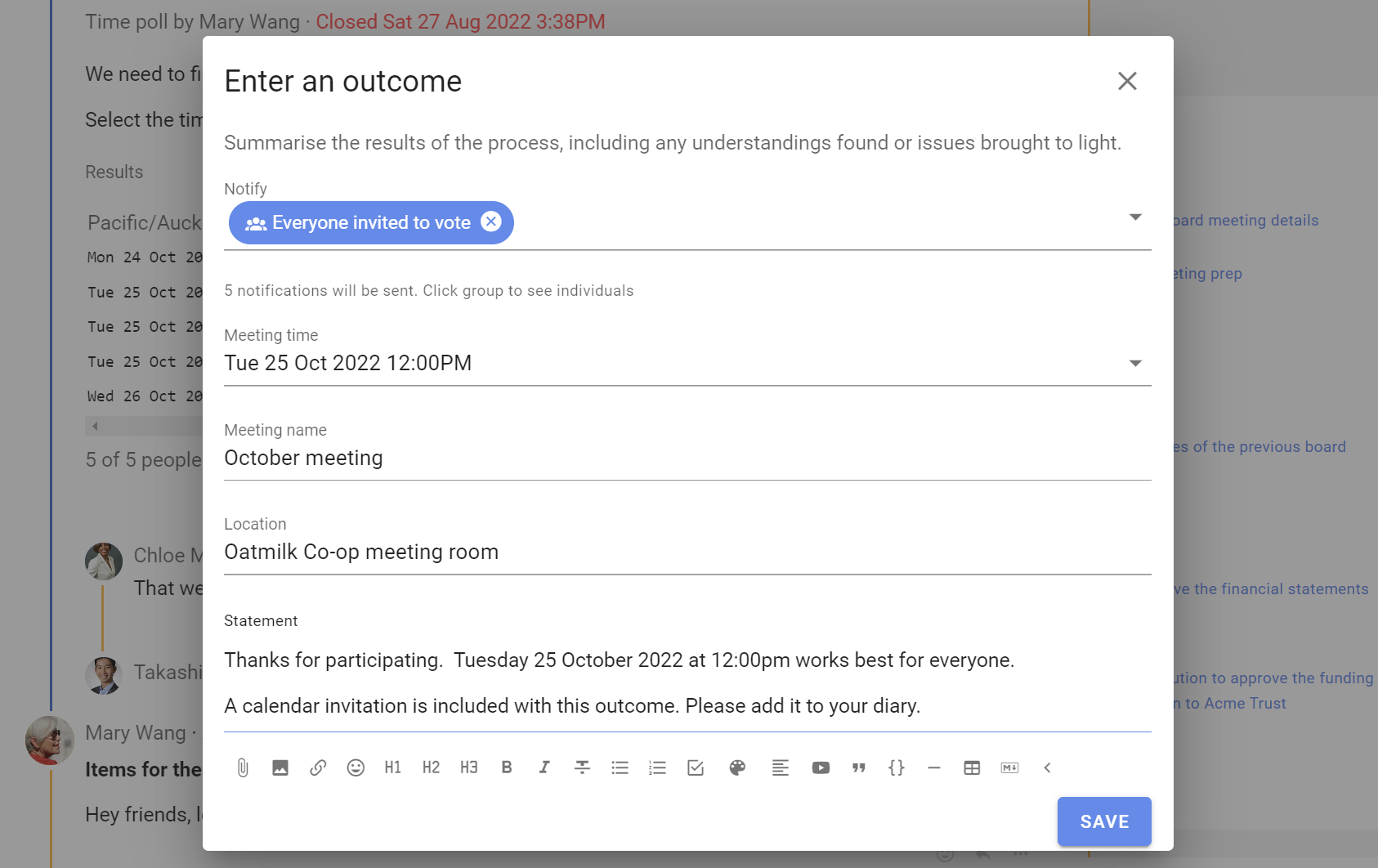
Notify: Add the people you are inviting to the meeting or event
Meeting time: Select the time that works best
Meeting name: Give your meeting a name. The Time poll title is used by default
Location: Add a physical location or a meeting link
Statement: Summarize the result and add any instructions for the meeting
Loomio includes the selected time, meeting name, duration, location, and statement in the outcome notification and calendar invitation.