Chat integrations
Loomio can send notifications to your chatroom.
Chat tools and Loomio work well together. Use chat for quick conversation and timely updates. Move important topics to Loomio when people need time to participate, when a decision must be made, or when the group will need a lasting record.
Loomio supports Slack, Discord, Microsoft Teams, Matrix and Mattermost.
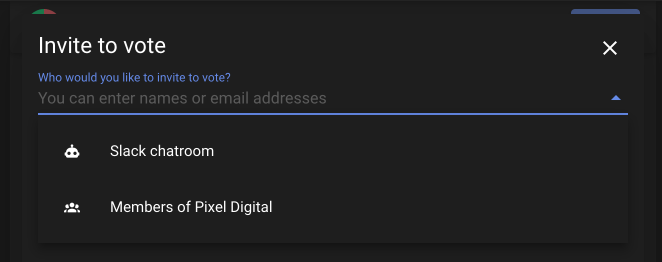
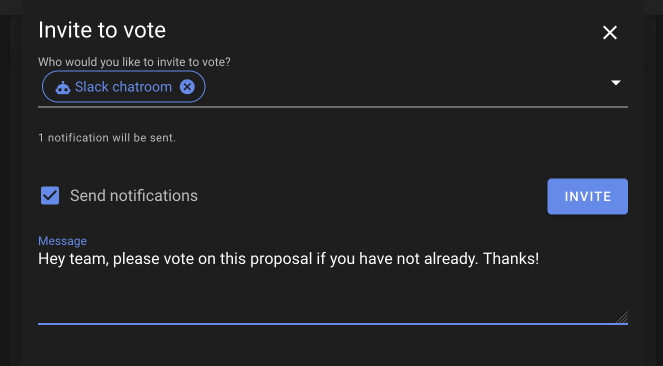
You can send notifications to your chatroom any time you like, just the same way you would invite individual people to vote, or to join a thread.
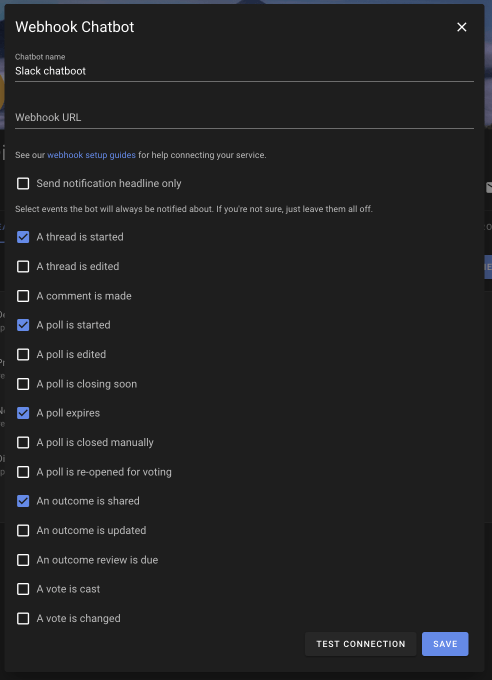
You can also configure notifications to always happen when a specific event happens, like someone starting a thread.
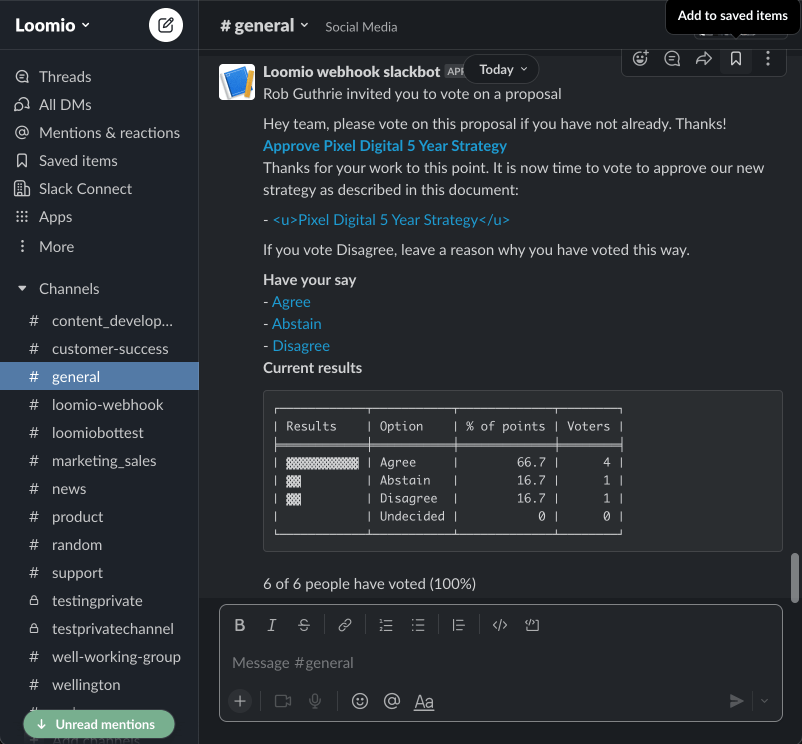
What it looks like in chat
Generate a Webhook URL
We've prepared step by step walk-throughs for each service we support. Follow the right one for your service to obtain the webhook URL you'll need to add the chat integration in Loomio.
Our webhook based system can also be used to support other systems that support incoming webhooks with either HTML or Markdown formatting. This could be something like Zapier or Rocketchat. Just select the mattermost bot, but use a custom webhook URL.
Set up a chat integration
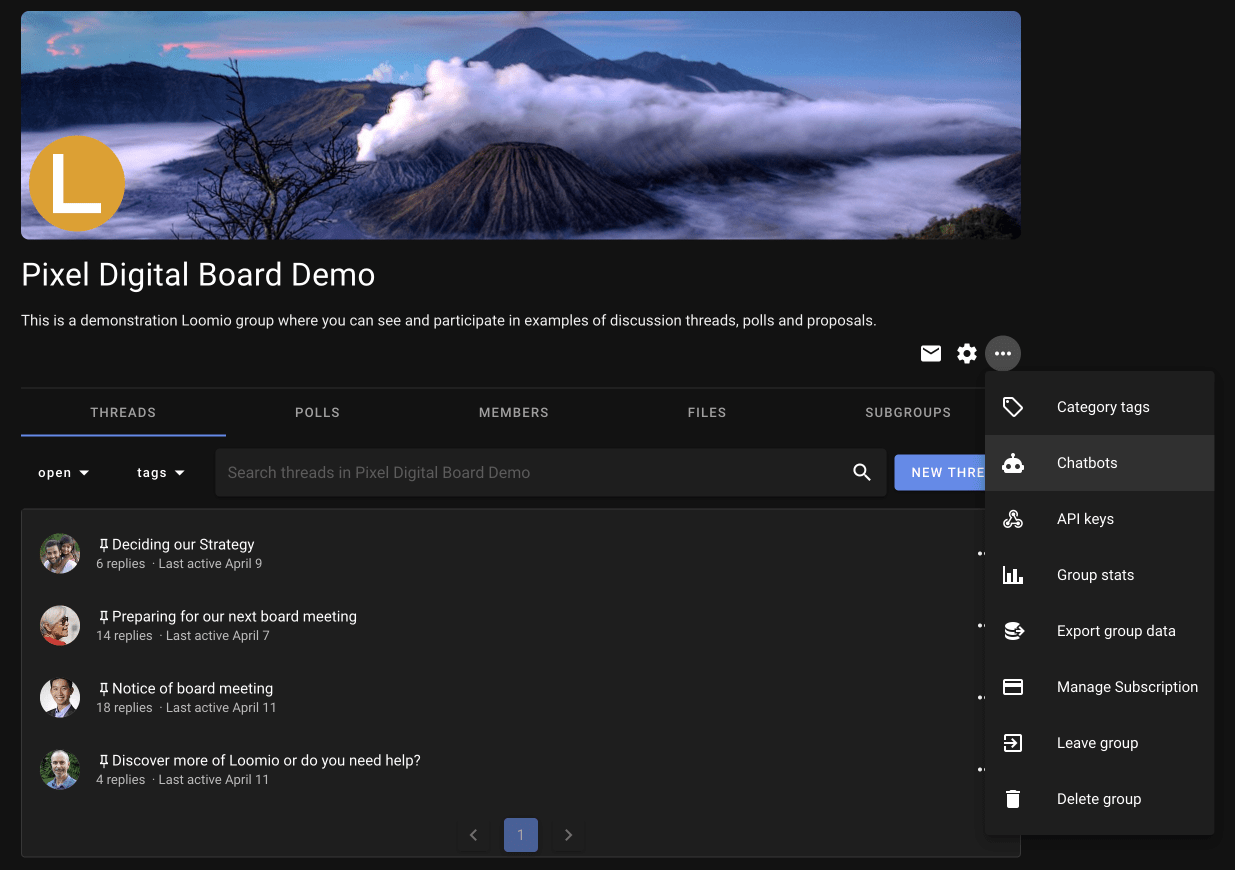
After configuring your chosen service (see above), you'll have a webhook URL. Open Chat integrations from the group menu and add a new chat integration for your group.
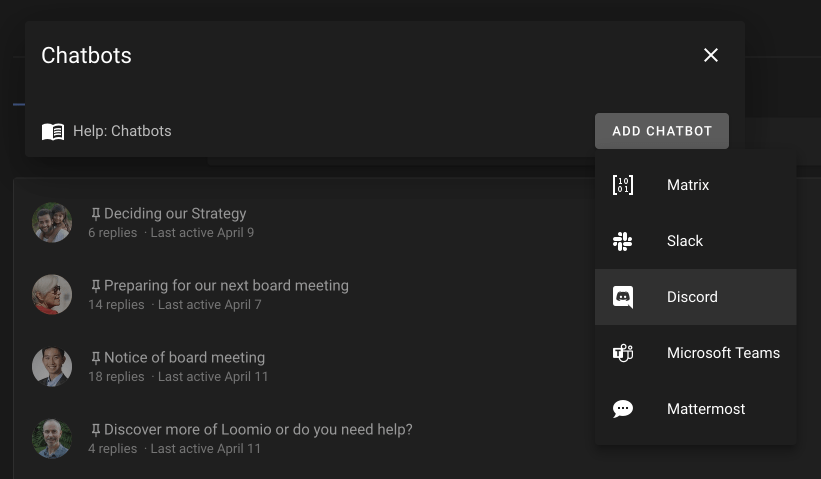
You probably don't want to click any of the checkboxes for now. Just enter the name (such as "Discord #general") and the URL and click the save button at the bottom of the form.
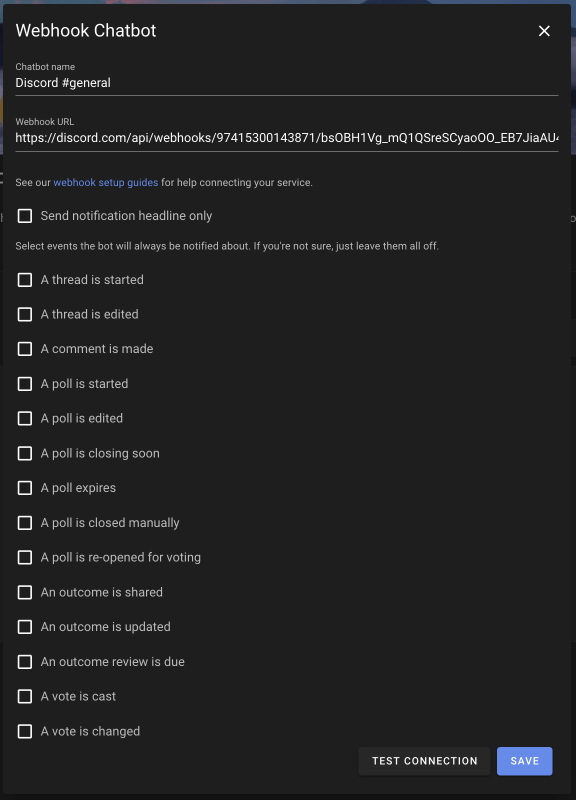
If you decide later that you want the integration to receive automatic notifications, return to its settings and select the relevant events.
Invite to poll
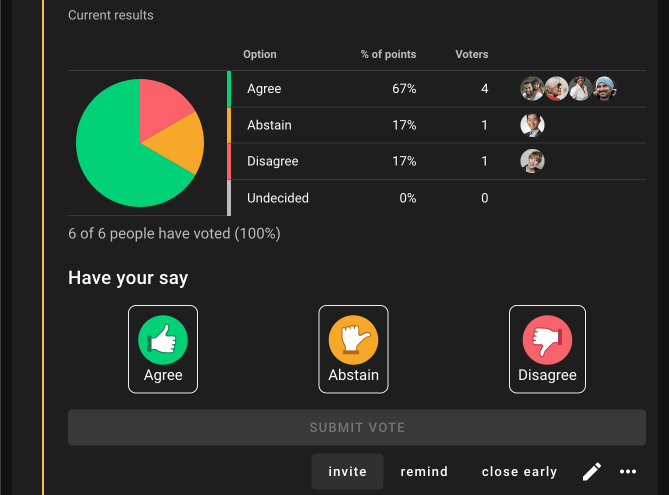
This is how to send a notification to your chatroom inviting people to vote in a proposal. It's the same process for Share outcome, Invite to thread, Remind to vote, Poll edited etc.
Automatic notifications
To send a notification whenever a specific event happens, edit the chat integration and select that event.