Proposals and polls
Proposals and polls collect structured responses from a group. They can help test an idea, make a decision, identify priorities, schedule a meeting, or elect representatives.
Find the right help
These parts of the manual answer different questions:
| If you want to… | Read… |
|---|---|
| Choose what participants should express | Proposals or Polls |
| Run a specific proposal template | Sense check, Advice, Consent, or Consensus |
| Configure the templates available to a group | Poll templates |
| Facilitate a decision from discussion to outcome | Making decisions |
A voting method defines how people respond and how results are calculated. A poll template is a reusable configuration built on a voting method, with preset instructions, options, and settings. A decision process may use a discussion and several templates before the group reaches an outcome.
Proposals
A proposal asks people to respond to a statement or course of action. Loomio includes templates for common purposes:
- Sense check gathers early reactions;
- Advice gathers input for a decision maker;
- Consent tests for meaningful objections; and
- Consensus seeks collective agreement.
See Proposals to compare them.
Polls
Use a poll when participants need to select, score, allocate, rank, state their availability, or cast an election ballot:
- Choose finds popular options;
- Score evaluates every option on a scale;
- Allocate distributes a limited budget of points;
- Rank finds an overall order of preference;
- Time poll finds when people are available; and
- STV Election elects multiple winners proportionally.
See Polls to compare them.
Start a proposal or poll
Choose whether to use a discussion
Start the proposal or poll inside a discussion when people need context, questions, or conversation before responding. A discussion can contain several proposals over time, keeping amendments and the eventual outcome together as one record of the topic.
Run a standalone poll when the discussion has already happened elsewhere, such as at a meeting, or when the question is simple and you only need to collect responses. Include enough detail or a link to the relevant record so voters understand what they are responding to.
In a discussion
Open the discussion, scroll to the reply area, select Start a vote, and choose a template.
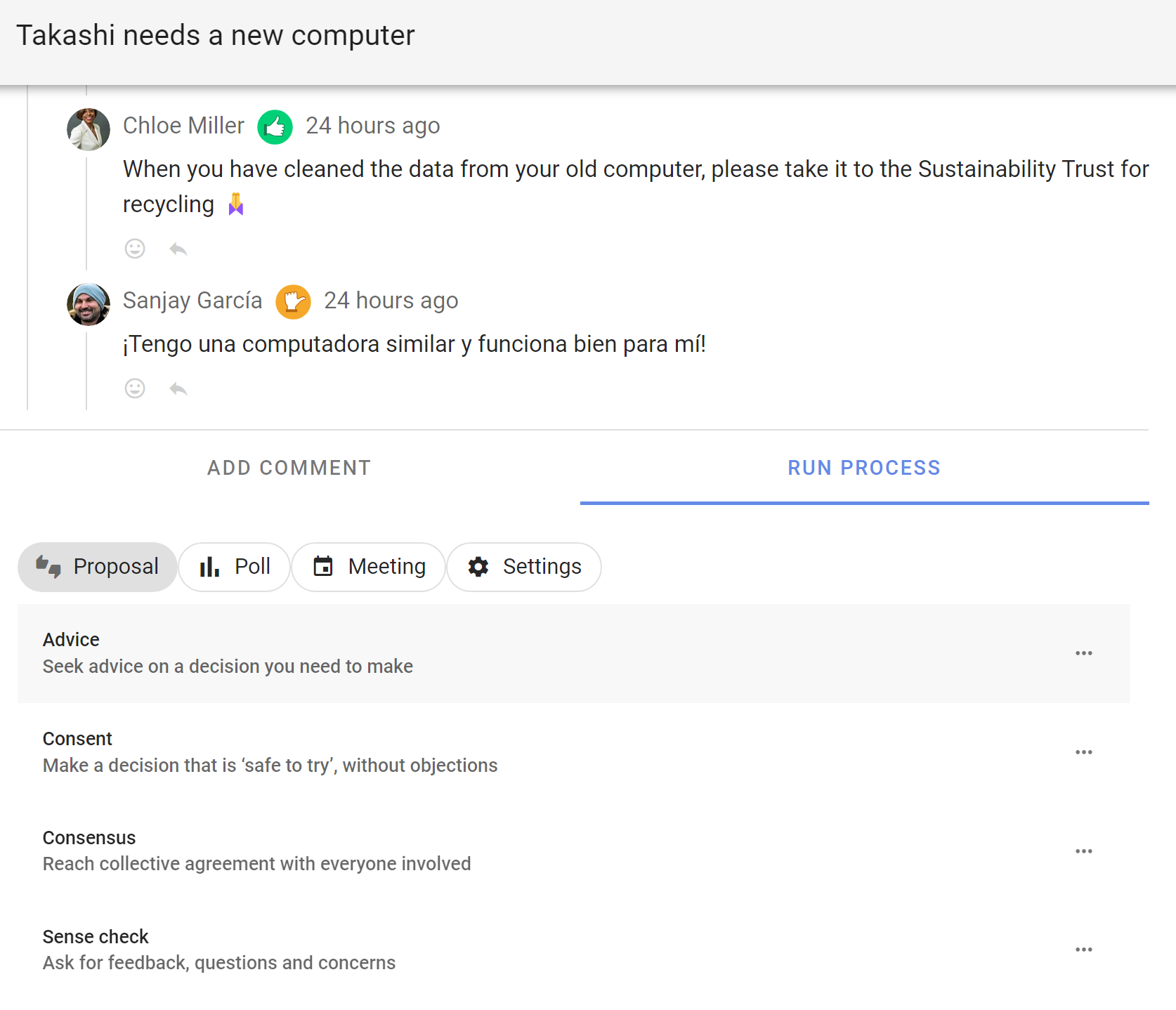
Without a discussion
Open the Polls tab on the group page, select New poll, and choose a template.
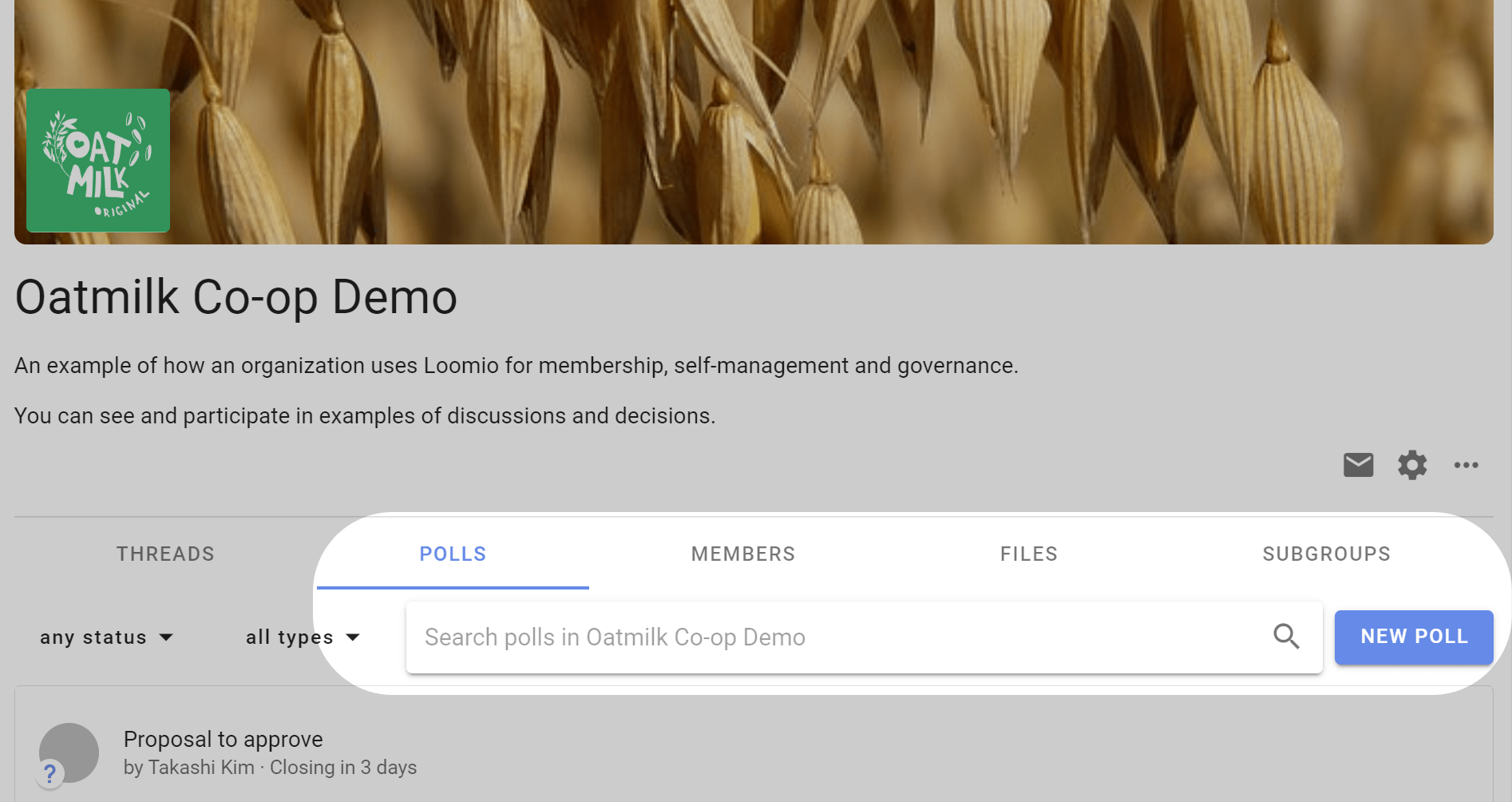
If you create a discussion and poll at the same time only to run a vote, avoid notifying people twice. Start the discussion without notifying them and use the poll invitation, or run the poll without a discussion.
What happens next
When starting a proposal or poll, you provide a title and details, review its response options and settings, set a closing time, and invite participants. While it is open, participants can vote, explain their response, and change their vote. Results update as votes are submitted, subject to the poll's result-visibility setting.
When it closes, publish an outcome that records what the result means and what will happen next.