Will our members need to learn another tool?
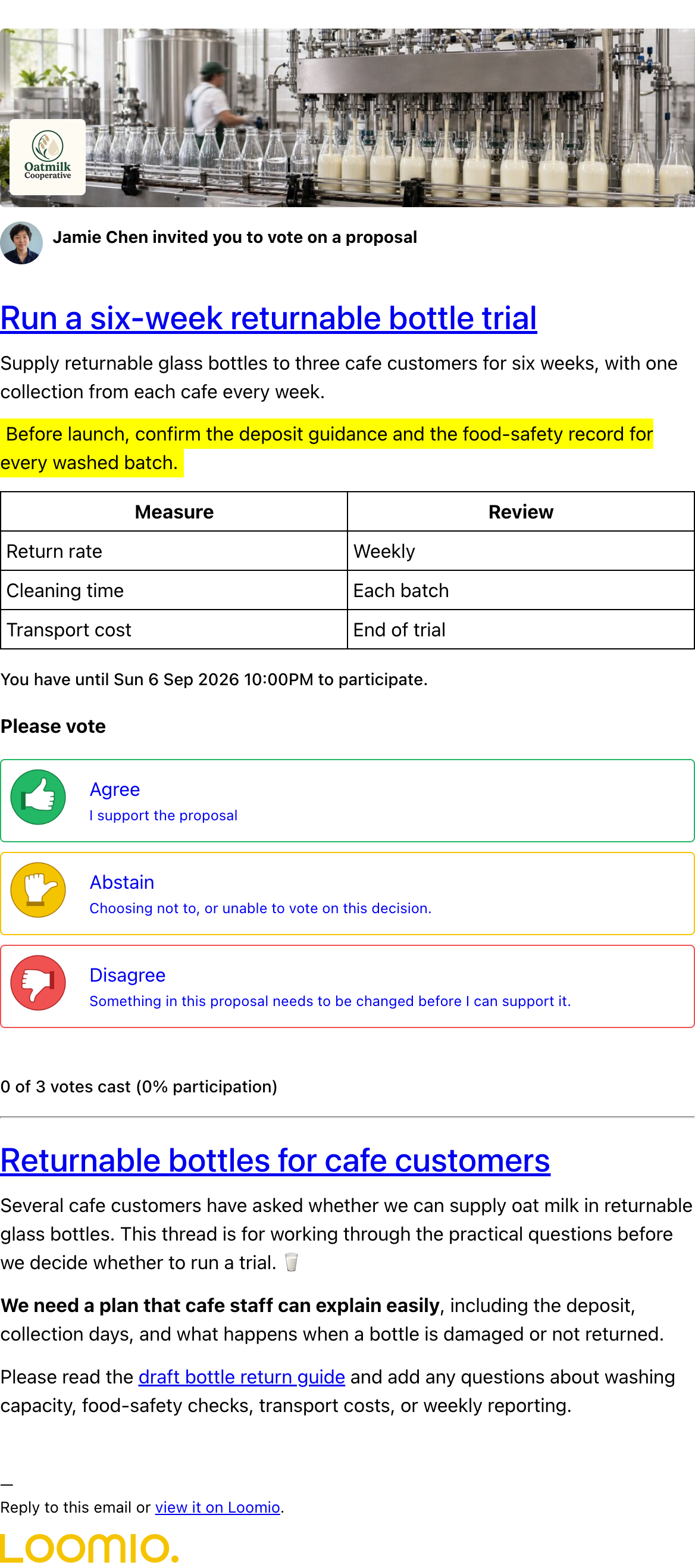
Loomio will keep your members updated by email. You can follow along just by reading email, reply to comments by email, or click on a link in a proposal email to vote. See example
A cooperative needs a new office. Help the team hear different needs, work through a concern and agree what happens next.
Explore meeting preparation, budget allocation and elections in the in-app demo. Start a free trial to try them with Loomio.
From bringing people on board to keeping a clear record, here’s how Loomio fits your group’s work.
Loomio will keep your members updated by email. You can follow along just by reading email, reply to comments by email, or click on a link in a proposal email to vote. See example
Members can sign in with Google, receive a sign-in code by email, or set a password. If your organisation needs single sign-on (SSO), get in touch—we can offer that too.
Loomio makes it clear when a notification will be sent, and you choose who receives it. Members can receive updates as they happen, or get one daily email with everything they need to catch up.
Notification history shows who was notified, with read information where available. You won’t usually receive an email about your own post. Proposals and polls have automatic reminders 24 hours before the deadline to give everyone a chance to have their say.
Start with a template for consent, consensus or majority voting. Adapt the voting options and their meanings, then save the template for your group to reuse.
Yes. Set the participation and agreement requirements for your proposal so people can see whether those requirements have been met. Record an outcome to explain the decision and next steps.
Yes. Use multiple choice, scoring, dot voting, ranked choice, STV elections or a time poll to find a meeting time. Choose the method that fits the question.
For identified votes, reasons can be optional, required or disabled. Anonymous voting keeps ballots separate from identities and hides results until voting closes; it doesn’t include reasons or allow vote changes.
Yes. Start a standalone poll when you’ve already talked it through elsewhere. You can also put proposals inside a discussion to keep questions, votes and the outcome together.
Yes. Prepare a direct discussion privately, with a colleague if needed, then move it into your group. Polls can have a scheduled opening time. Simply leaving people out of the notification list doesn’t make a group discussion private.
Yes. Discussion access and voting eligibility are separate. Make the discussion available to your group and restrict the poll to selected voters.
Yes. Subgroups give committees or teams their own discussions, decisions and membership. Choose privacy settings to suit who should have access.
Yes. Invite a guest by email to that discussion without giving them access to the rest of the group. A reply in the discussion is visible to everyone who can access it.
Group permissions control what members can do, and admins manage membership and settings. An administrator can organise an identified vote without being one of its eligible voters.
Discussions keep the background, comments, votes and outcome together. Search for past topics, filter by tags, or use the Files tab to find attachments.
Yes. Export poll results to a spreadsheet, print a discussion or save it as a PDF, and export group data for your own archive or a move to another Loomio server.
Lock finished threads to keep the current list focused. Use tags to organise topics, or move a set of discussions into a subgroup for a past year or assembly.
Yes. Attach files to discussions and comments, or link to documents in tools such as SharePoint or Google Drive. Shared attachments also appear in your group’s Files tab, so they’re easy to find later. Built-in formatting tools include headings, lists, images, tables and highlighting. Linked documents keep their existing access permissions.
Yes. Chat integrations send Loomio updates to tools including Slack, Microsoft Teams, Discord and Matrix, with links back to the discussion or decision.
Use a new discussion for a new topic, and a proposal when there’s a clear decision to make. Start in your main group; add subgroups when a committee or team needs its own space.
Yes. A meeting discussion can hold the agenda, supporting papers and several polls—for example, finding a meeting time and approving the previous minutes.
Yes. Start a free trial, explore the in-app demo, then invite a few people to try a real decision. A familiar task, such as approving minutes, makes a useful first example.
Yes. Keep using the same group, members and discussions when you subscribe. You don’t need to set everything up again.
Yes. We’re happy to help you plan your first decision, explain the tools and support the people organising your group. Get in touch about a demo or training call.
Email us with your question or arrange a call. You can talk through your setup and get help with the product and your group’s process. Scheduled calls and email are how we provide support.
Start a free trial and explore the demo inside Loomio. Try the tools, explore more examples, then bring your group’s first real decision.
Start a free trialNeed a hand? We’re happy to answer questions by email or talk it through on a call. Get in touch